Testing#
Testing your code#
Testing production grade code is hard. And you can never cover all outcomes.
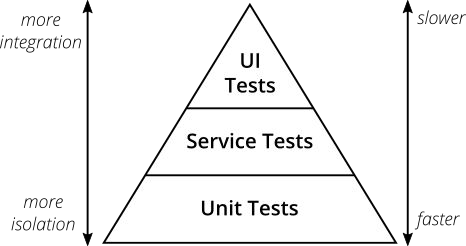
There are multiple types of tests, some rough definitions:
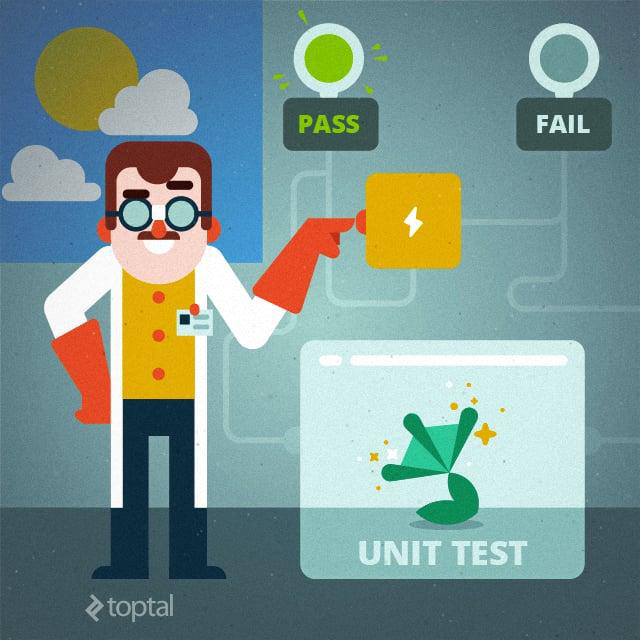
→ Unit Tests: Testing “small” and encapsulated parts of the application. Most of the time this refers to explicitly testing a function written as part of the package
→ Integration Tests / Service Tests: Testing dependencies between parts of the Software. For example the interaction with databases, APIs etc.
→ End2End / UI Test: Testing the working application starting from the end. For example checking that an interaction in the UI will lead to the expected results
Why should we test?#
→ Time spend with debugging
→ Reduce technical debt
→ Enable refactoring
→ Writing better code
→ Document what code really does
→ Improve the deployment workflow
Time:
Debugging: Finding errors in your code is very time consuming for you and for other developers in your team that look over your pull request.
Better code:
Test let you think about your code before you write it. What is the functionality? What parameters should you expect? Why are you writing the code in a specific way? How do you think the code could break?
Documentation:
Tests must necessarily be kept up-to-date with code modifications. Else they cannot pass.
Refactor:
Tests are a safety net for refactoring. If somebody at some point want to refactor code without breaking it you need tests to be sure that it kept the intended purpose.
Deployment:
When you start to track how the new and refactored code is actually tested, you relieve yourself from a lot of stress and frictions once the code is deployed.
Finding test cases#
How to come up with tests:
→ Think about how your function will be used
→ Think about how it could be misused (edge cases)
→ And don’t forget to test the “happy” cases as well (“perfect” inputs)

You should write your tests with all outcomes in mind: Good and bad. You will probably never cover all edge cases!
TDD#
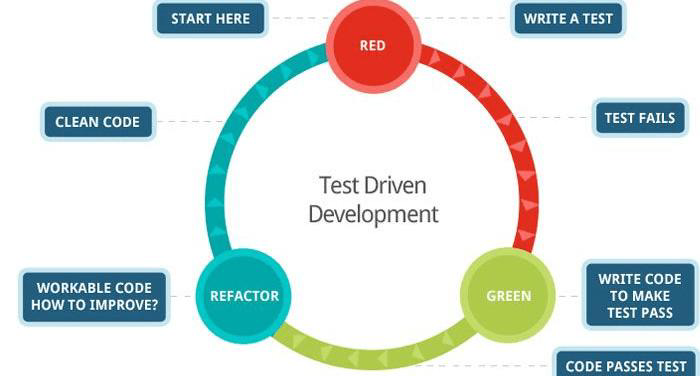
Writing tests that would check the functionality of your code prior to writing the actual code#
Test Driven Development#
It helps you plan out the work ahead
You can divide it into 3 Phases:
→ Red Phase - write the test or tests to validate the functionality
→ Green Phase - implement the simplest code that will make the failed test pass
→ Refactor Phase - improve the code without changing the functionality
When you start writing code follow the KISS principle: Keep it Simple, Stupid.
Unit Tests#
Testing “small” and encapsulated parts of the application.#
Unit Testing#
Tests should tell you the expected behavior of the unit. Keep them short and to the point.
The GIVEN, WHEN, THEN structure can help with this:
→ GIVEN - what are the initial conditions for the test?
→ WHEN - what is occurring that needs to be tested?
→ THEN - what is the expected response?
You should prepare your environment for testing, execute the behavior, and check that output meets expectations.
Unit Testing#
Each piece of behavior should be tested once – and only once.
Why is that?
→ If you make a small change to your code base and then twenty tests break, how do you know which functionality is broken?
→ When only a single test fails, it’s much easier to find the bug.
Write tests for each piece of code, to check if it gives back the expected results and to make it easier to find mistakes.
Unit Testing#
Each test must be independent from other tests.
Rules for creating tests:
→ Must be able to run alone
→ The order of the tests should not matter
→ Use descriptive names for testing functions.
These imply that each test must be loaded with a fresh dataset and may have to do some cleanup afterwards
Why is it important that tests are independent from each other?#
Unit Test Example#
Let’s look at an example:
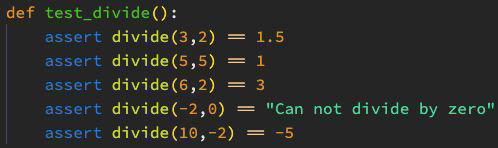
Assertions let you write sanity checks in your code. You can use these to test if certain assumptions are true or false.
Unit Test Example#
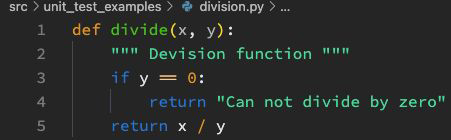
Let’s look at an example:

Based on the test we could assume how the code looked like or we could write a function based on the test that solves the same problem.
Libraries for testing#
Libraries that we can use
There are a few:
→ unittest: Comes as standard library with python
→ doctest: Comes as standard library with python
→ pytest: The most used testing library

In the repo we will show you examples for pytest!
Naming your tests#
Pytest is looking for tests by subfolder name, file name and function name
→ Subfolder name: tests
→ File name: test_something.py
→ Function name: test_your_function_name()
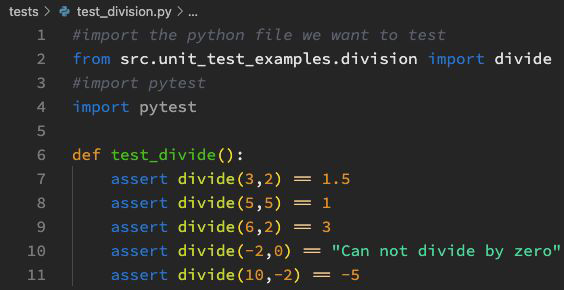
You have to import the functions you want to test into your test python file!
Running pytest#
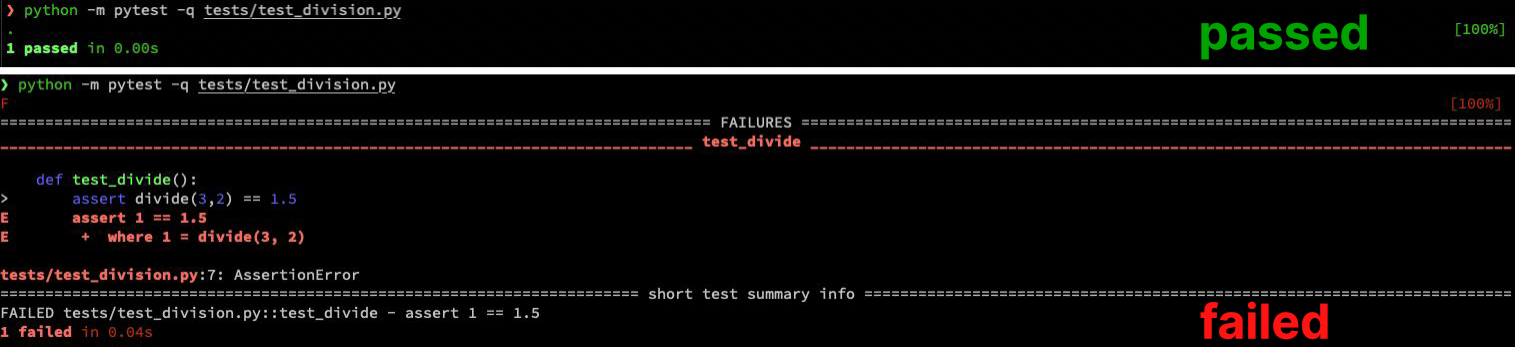
python -m pytest -q tests/test_something.py
Integration Test#
Testing dependencies and interactions between parts of the Software#
Integration Test#
What does integration testing involve?
Characteristics of creating integration tests:
→ integrating the various modules of an application
→ testing their behaviour as a combined, or integrated, unit
→ Verifying if the individual units are communicating with each other properly
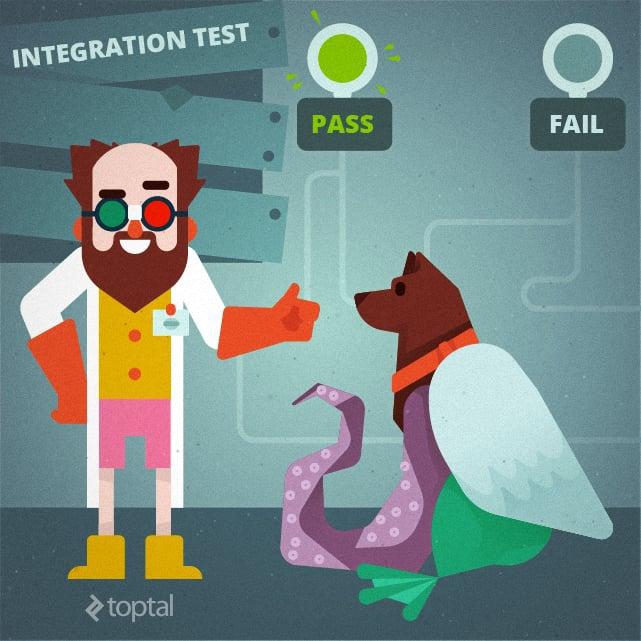
To perform integration testing, testers use dummy programs that act as substitutes for any missing modules and simulate data communications between modules for testing purposes.
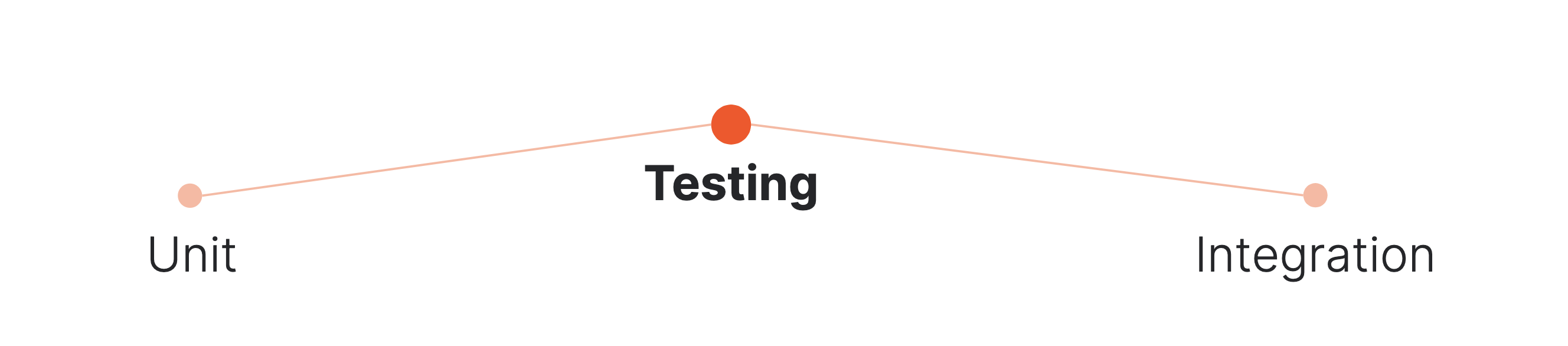
Unit tests
Smallest piece of code, or unit, is tested
Each unit can be logically isolated
Individual modules are tested
Integration tests
check the functionality of the overall application
combined, or integrated, unit
Modules are tested as a combined unit
Reasons for Integration Testing#
Why integration testing is essential:
→ Integrating different modules into a working application
→ Ensuring that changing requirements are incorporated into the application
→ Eliminating common issues missed during unit testing
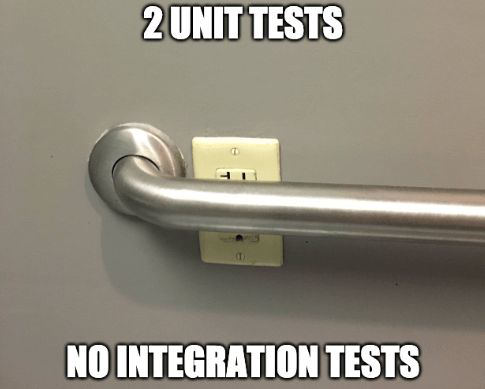
Even when each module of the application is unit-tested, some errors may still exist. To identify these errors and ensure that the modules work well together after integration, integration testing is crucial.
Testing Data#
Why should Data Scientists write tests?#
Testing in Data Science#
Is it unit testing or integration testing?
What can we write tests for in Data Science?
→ Code that we turn from notebook cells into python files
→ Data integrity tests: Do our data transformations introduce any errors in the data?
→ Data quality tests: Does the data in our system meet our needs?
Data tests can be unit tests where we test the functions that we use to transform our data but quickly become integration tests when we look at the outcome of a collection of transformations.
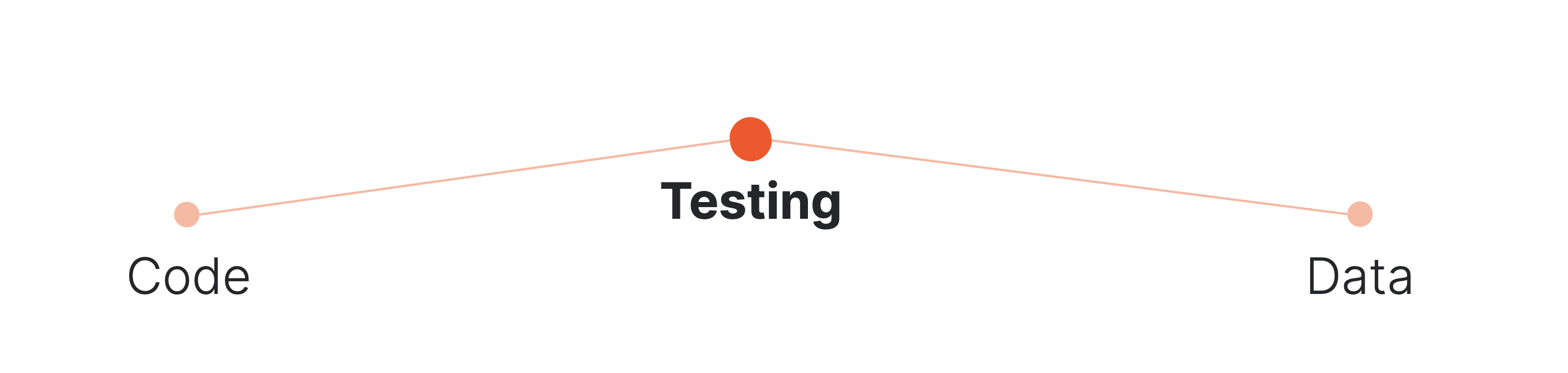
Code tests
Test whether your functions, classes, modules, or services do what you want them to.
Test whether your data is in the right format and your data values are correct.
Testing in Data Science Example#
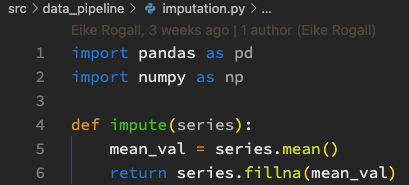
Let’s say you want to impute NaN values with the mean:
We are calculating the mean of a pandas series and fill the NaN values with it using fillna().
Testing in Data Science Example#
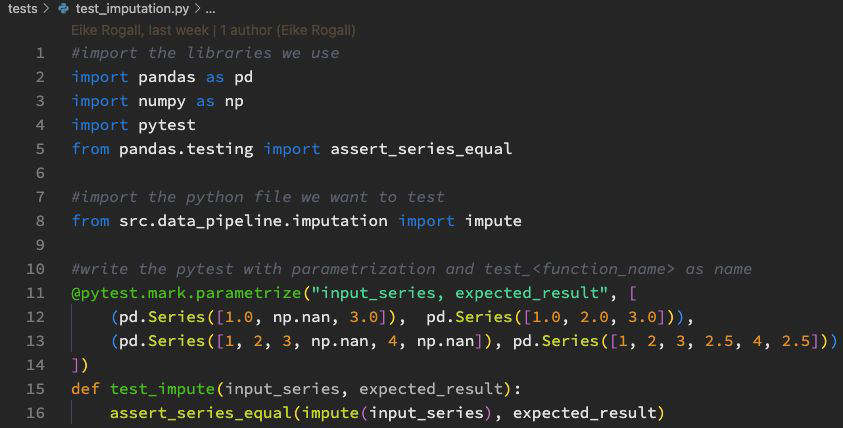
We can now (or before) write a test that checks if the returned series looks as expected:
pandas has a build in module called testing, which we can use to compare two pandas data frames or two pandas series.
Typical Edge Cases in Data Science#
What are typical edge cases?
→ NaN and None as input values
→ 0 values and empty strings
→ Minimum and maximum values
→ numbers that have special meaning in the function (e.g. constants)
→ Invalid inputs (e.g. int vs float)
→ Negative numbers
… and all sorts of random combinations of edge cases together
Why and when would you use tests in your workflow?#